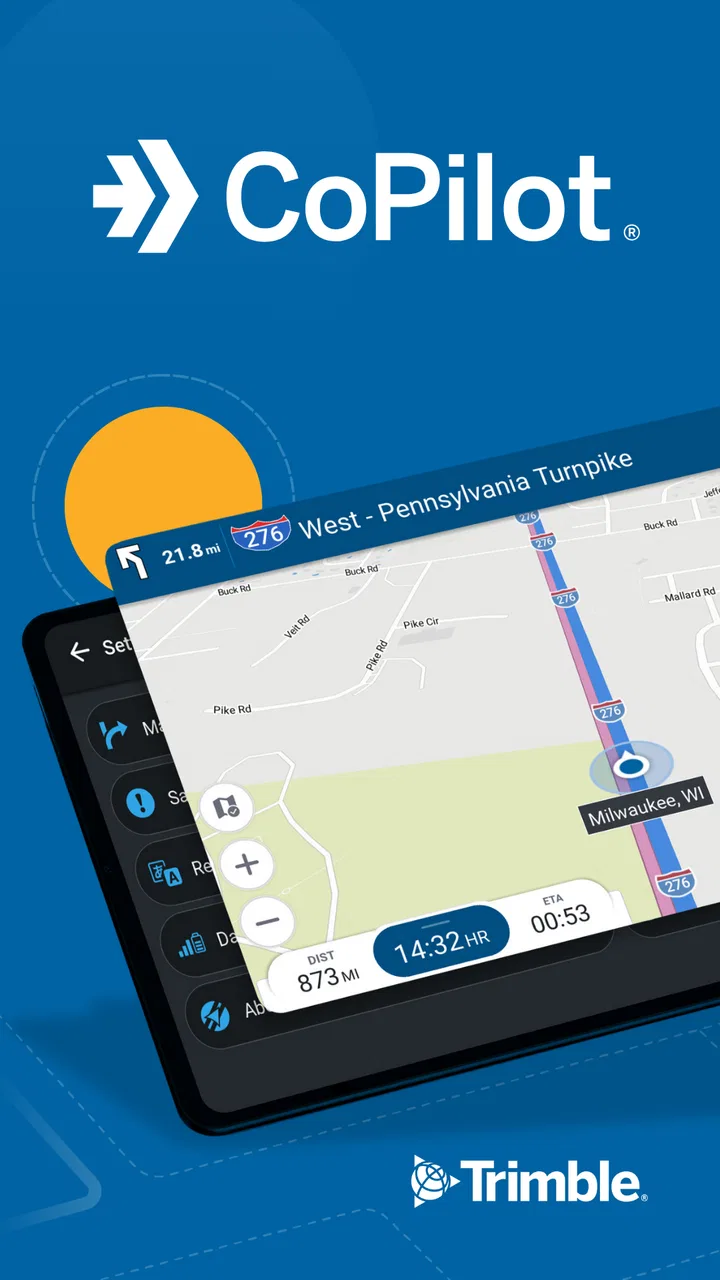
CoPilot GPS Navigation
- 3.3
- Rating
- 5.00M
- Installs
- Free
- Price

 Analysis by App-foxy
When I need navigation that takes vehicle size seriously, I look at CoPilot GPS Navigation differently from an ordinary phone map. This is a dedicated Maps & Navigation app from Trimble MAPS Ltd., built around the idea that a truck, car, or RV may need a route that is not simply the fastest line between two points. I tested it with that practical question in mind: does it make everyday driving easier, and does its paid side offer enough value to justify moving beyond the free access?
CoPilot GPS Navigation is free to install, rated for Everyone, and supports Android devices running version 7.0 or later. It has been available since May 2, 2012, and the current version is 11.3.0.1882. Its store summary is “GPS for Truck, Car, RV,” which accurately signals its main distinction: it aims to serve different vehicle types rather than treating every driver as if they were in the same small passenger car.
How the app feels when planning a real journey
The first thing I noticed is that the app makes more sense when I think like a driver planning a route before leaving, not like someone casually checking a map while walking around town. A truck driver may need to avoid unsuitable roads, an RV owner may prefer a route that is less stressful to maneuver, and a car driver may simply want dependable turn-by-turn guidance. Those needs overlap, but they are not identical, and CoPilot’s vehicle-focused approach is the reason to consider it.
You May Also Like

 Blood Strike: 2.5 Anniversary
Blood Strike’s Loadouts Turn Every Drop Into a Tactical Gamble
A close look at Blood Strike’s custom loadouts: how fast access to signature weapons reshapes its battle royale rhythm, rewards preparation, and narrows the gap between fights.

 Pandora - Music & Podcasts
Pandora’s Music Is Easy to Start, but Harder to Recover
Pandora’s strength is its low-effort path from a seed to a station. Its weak spot is how much confidence it asks you to place in connection, setup, and quiet recovery.

 8 Ball Pool
 Is Built on Rivalries, Rematches, and Routine
A close look at the rivalries, rematches, shared routines, and unanswered safety questions that turn a quick pool match into a persistent mobile community.

 Samsung Music
’s Quiet Strength Is Playing What You Already Own
Its reach comes less from spectacle than from dependable access to a personal library. That simplicity is both the app’s strongest retention engine and its ceiling.

 AccuWeather: Weather Radar
AccuWeather Review: A Quick, Clear Forecast for Everyday Decisions
For everyday plans, the best forecast is the one you can understand quickly. AccuWeather makes rain timing, radar, and local conditions easy to act on, with a few trade-offs.

 Hill Climb Racing
Why Hill Climb Racing Still Turns Crashes Into One More Run
A tiny car, a bumpy hill and one more upgrade: Hill Climb Racing keeps resurfacing because its simple chaos makes every near-miss feel personal.
More From Our News Desk



A realistic example is an RV trip to a campsite outside a city. A general mapping app may produce a perfectly reasonable route for a regular car, yet that route can become awkward when the road narrows, clearance becomes a concern, or a turn requires more room than expected. With CoPilot, I would begin by setting the vehicle profile carefully, checking the proposed route before departure, and treating the preview as part of the journey rather than accepting the first suggestion automatically.
That workflow is one of the app’s more important strengths. Navigation is not only about following spoken instructions. For larger vehicles, the useful decision often happens several minutes earlier, when I can compare the route and notice whether it sends me through an area that does not suit my vehicle. I would especially use this habit for unfamiliar towns, delivery destinations, and holiday routes where a small mistake can create a long and inconvenient correction.
The app’s focus also makes it relevant to professional drivers, although I would not assume that a navigation tool alone replaces a company’s routing procedures or a driver’s responsibility to check road signs. Conditions can change, restrictions can be temporary, and local instructions may take priority. CoPilot can support planning, but I would still verify the final approach to a depot, campsite, or customer location before committing to a difficult road.
Free access and what the payment question really means
The app itself is free to install, which makes trying it relatively straightforward. That matters because the best way to judge a vehicle-navigation app is not by its name or screenshots but by how naturally it fits a person’s regular driving routine. I could install it, explore the interface, test route planning, and decide whether its vehicle-oriented approach feels more useful than the familiar map already on my phone.
There are in-app purchases ranging from $5.99 to $119.99 per item. That is a wide span, so I would not treat the free download as proof that every useful capability is included without payment. The sensible approach is to inspect the exact purchase option shown for the region and platform, then compare that cost with how often I drive a truck or RV. A person who only takes occasional car trips should be much more cautious than someone who depends on specialized routing repeatedly.
This distinction is important: the free entry point gives the app a low-risk trial, while the paid options determine whether it becomes a practical long-term tool. I would avoid buying immediately after installation. First, I would test the routes I actually use, confirm that the vehicle setup matches my needs, and see whether the planning experience is comfortable enough to justify spending more.
Because the purchase range reaches a substantial amount at the upper end, the value decision is personal rather than automatic. A frequent professional user may view a paid option as a working expense if it reduces avoidable route problems. An occasional driver may get better value from a conventional navigation app that already covers ordinary car journeys at no extra cost. The free installation is easy to justify; the paid commitment deserves a real use-case test.
Where its vehicle focus adds practical value
The strongest reason to choose CoPilot is the possibility of planning around the vehicle instead of treating vehicle dimensions as an afterthought. That changes how I would use it. Rather than entering a destination while already moving, I would set up the trip while parked, review the route, and look for places where the journey could become difficult for the vehicle I am driving.
For a truck driver, this can mean thinking about the entire delivery sequence. The destination pin may be correct, but the final streets can still be the most demanding part of the trip. I would examine the last section carefully, identify a safe place to pause if the approach looks uncertain, and avoid relying on a last-second turn instruction. This is not a glamorous feature, but it is a valuable habit that a general-purpose map does not always encourage.
For an RV owner, the benefit is less about speed and more about reducing surprises. I would use the app before leaving a busy urban area, particularly when towing or driving a larger motorhome. Planning the route in advance can make it easier to choose a calmer approach, avoid unnecessary detours, and arrive with enough attention left for parking and site access.
Car drivers can also find a place for it, especially those who travel through unfamiliar regions or want a navigation tool with a more deliberate planning style. However, the advantage is smaller when the car is compact and the route is entirely ordinary. In that situation, the convenience and live ecosystem of a mainstream map may outweigh CoPilot’s specialized orientation.
Three habits that make the app more useful
My first recommendation is to treat vehicle selection as a serious setup step. Do not choose a generic car profile when driving an RV or truck simply because it is quicker. The quality of the route depends on the information the app has about the vehicle, so an inaccurate profile can undermine the very reason for using this kind of navigation.
Second, review the final approach rather than only the overall journey. Long trips often feel easy until the last few streets, and that is where a larger vehicle can face the most stress. I would zoom in on the destination area while parked, note the intended entrance, and keep an alternative stopping point in mind. This approach is useful for warehouses, rural properties, campsites, and unfamiliar residential roads.
Third, use the app as a planning companion even when another navigation service handles live traffic or local information better for you. I do not see a need to make one app perform every task. CoPilot’s vehicle-aware planning can be valuable before departure, while a familiar general map may remain useful for checking current conditions or finding a nearby business. The trade-off is carrying two tools and managing the possibility that they recommend different roads.
That last point is not a flaw unique to CoPilot; it is a practical consequence of comparing navigation systems. If two apps disagree, I would not blindly follow whichever speaks first. I would check signs, restrictions, the vehicle profile, and the actual road conditions. For professional driving, that extra judgment is part of responsible navigation.
Where the experience may frustrate you
The average rating is 3.0 from around 106 thousand ratings, with roughly 6 thousand written reviews. I would read that as a reason to keep expectations measured. It does not tell me that the app is unusable, but it does suggest that the experience is not universally smooth. Navigation apps are especially sensitive to device behavior, route expectations, regional coverage, and the difference between what a driver wants and what the software prioritizes.
One likely source of friction is that a specialized planner can feel less immediate than a familiar general map. If I only want to search for a café, check a short city route, or find a nearby shop, CoPilot may feel like more tool than I need. Its value becomes clearer when the vehicle itself affects the route, so ordinary errands are not always the best test of its strengths.
Another trade-off is the need to review recommendations instead of surrendering all judgment to the app. A vehicle profile can improve planning, but it cannot remove every uncertainty from real roads. Temporary closures, local restrictions, poor signage, construction, and destination access can still create problems. I would keep the phone mounted safely, follow visible road signs, and avoid changing settings while driving.
The payment structure may also require patience. Since purchases sit between $5.99 and $119.99 per item, the wrong purchase can be poor value for a casual user. I would pay close attention to what each option unlocks and whether it matches my driving pattern. Someone who drives a truck every day has a different calculation from someone renting an RV once a year.
How it compares with familiar navigation alternatives
Mainstream map apps usually win on familiarity, broad everyday search, and the speed of finding businesses or addresses. They are often the easiest choice for a normal car trip, especially when I want a quick route without spending time configuring a vehicle. If my driving is mostly local and uncomplicated, I would probably stay with the tool I already know.
CoPilot becomes more interesting when the route must reflect the vehicle. Its identity is not based on being another general map with a different color scheme. The reason to install it is to bring more attention to truck, car, and RV use cases. That makes the comparison less about which app is universally better and more about whether vehicle-specific planning matters in my life.
I would also compare it with any navigation system supplied by a vehicle manufacturer or fleet. A built-in system may integrate more naturally with the dashboard, while CoPilot can be easier to try across compatible Android devices. On the other hand, a fleet’s established workflow may include requirements that a consumer app does not address. For a professional driver, I would confirm that using it fits company policy before making it part of a daily routine.
For an RV trip, I might use CoPilot for the route plan and a second source to research the destination itself. Campsite entrances, parking instructions, and local access details are often just as important as the road route. This two-stage method takes more preparation, but it is safer than assuming any navigation app knows every detail of a private destination.
Who is most likely to get their money’s worth
I think the best match is a driver who regularly uses a truck, RV, or another vehicle for which a standard car route can be inconvenient. Delivery drivers, tradespeople, motorhome owners, and people who frequently travel beyond familiar roads have a clear reason to test it. They can judge value through repeated use rather than a single impressive-looking route.
The app may also suit someone who enjoys preparing a journey in advance. If I prefer to check the route before starting, think through the final approach, and reduce last-minute decisions, CoPilot’s orientation feels appropriate. It rewards a more deliberate driving style.
I would be less enthusiastic for a person whose needs are limited to walking directions, public transport, cycling, or quick local searches. Those are not the situations that make its vehicle focus meaningful. I would also hesitate to recommend a paid option to a driver who takes only rare road trips and already has a trusted general map that handles those journeys adequately.
Users should also consider their phone and driving setup. The minimum operating system is Android 7.0, so compatibility is not aimed only at the newest devices. Still, I would check that the phone can remain stable in the car, that the screen is easy to read, and that the driver can operate it without distraction. A navigation app is only helpful when it fits safely into the vehicle.
My verdict after weighing the free and paid value
CoPilot GPS Navigation is worth trying when the size or type of your vehicle genuinely affects route decisions. I like that its purpose is clear: it is not merely another map for casual errands, but a navigation option built with trucks, cars, and RVs in mind. The free installation lowers the barrier to testing that approach, and the app has enough history and adoption to be taken seriously, with more than 5 million installs.
My recommendation becomes more cautious once payment enters the picture. The lower in-app purchase point is approachable, but the upper end of the range is a serious commitment for an occasional driver. I would only move toward the more expensive options after testing real journeys, checking the vehicle setup, and deciding whether the route-planning benefits solve a problem I actually have.
In practical terms, I would recommend it to frequent truck and RV users who are willing to plan before driving and verify the final approach themselves. I would skip the paid commitment if I mostly drive a small car on familiar roads, need a strong everyday place-search tool, or prefer an entirely effortless navigation experience. My final view is positive but targeted: try the free version first, judge it on your own vehicle and routes, and pay only when its specialized planning earns a regular place in your driving routine.
FAQs for CoPilot GPS Navigation
01What makes CoPilot GPS Navigation stand out from other navigation apps?
CoPilot GPS Navigation offers offline maps, which means you can navigate without a data connection. It’s designed for travelers who need reliable maps in remote areas. The app also provides advanced route planning, real-time traffic updates, and personalized route options, making it ideal for both everyday commutes and long road trips.
02Does CoPilot GPS Navigation require an internet connection to function?
No, CoPilot GPS Navigation does not require an internet connection for basic navigation. The app allows you to download maps for offline use, ensuring you have access to navigation even in areas with poor network coverage. However, features like real-time traffic updates do need an internet connection.
03Is CoPilot GPS Navigation suitable for international travel?
Yes, CoPilot GPS Navigation is well-suited for international travel. It offers a wide range of maps for different countries, which can be downloaded beforehand. This feature is particularly beneficial for avoiding roaming charges while abroad, and the app’s offline capabilities ensure you won’t get lost in unfamiliar territories.
04What are the main features of CoPilot GPS Navigation?
CoPilot GPS Navigation includes features such as turn-by-turn voice guidance, lane indicators, speed limit alerts, and 3D map displays. The app also offers multi-stop route planning and customizable routing settings. These features are designed to enhance your navigation experience, providing a comprehensive and user-friendly interface.
05Are there any subscription fees associated with CoPilot GPS Navigation?
CoPilot GPS Navigation offers both free and paid versions. The free version provides basic navigation features, while the paid subscription grants access to premium services like real-time traffic updates and more detailed maps. Users can choose a plan that best suits their needs, ensuring flexibility and affordability.
Pros
- User-friendly interface enhances navigation.
- Offline maps reduce data usage significantly.
- Real-time traffic updates improve routing.
- Customizable routes offer flexibility.
- Multi-stop planning for complex trips.
Cons
- Offline maps require significant storage space.
- Premium features locked behind a paywall.
- Occasional inaccuracies in traffic data.
- Limited customization in map themes.
- Voice guidance lacks multilingual support.

CoPilot GPS Navigation
Gallery